Lead + Sax Solo Cut · 10 seconds
Put a Friend in the Tiny Desk AI Sax Solo
Cast one photo as the Lead Singer at the center microphone, then optionally add a second photo for the saxophone handoff. The preset builds the warm bookshelf concert, performance timing, and synced audio—no written prompt or video editor required.
Use only authorized photos. Generation requires sign-in and enough credits; choosing photos does not start a paid task.
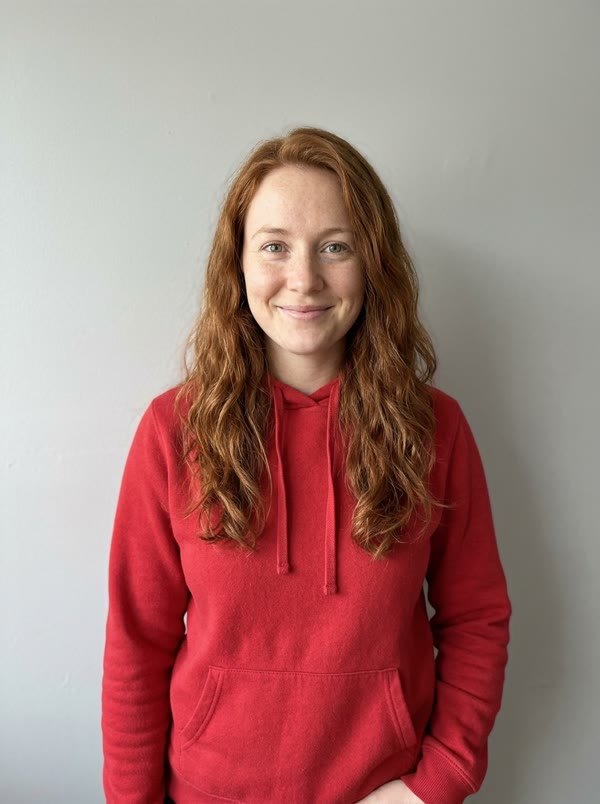 Lead+
Lead+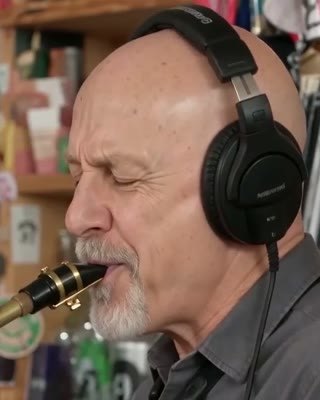 Sax→ AI Video
01 · What the duo cut does
Two roles, one compact concert story
The Tiny Desk AI sax solo is not a static side-by-side portrait. Each role has a clear performance moment, so the second person feels like a musical reveal rather than an extra face pasted into the background.
Lead Singer
Your first photo anchors the center microphone, opening vocal phrase, and joyful performance reaction. A clear face and visible upper body help the model read the intended performer.
Featured Sax Player
Your optional second photo takes the saxophone close-up and handoff. Leave the slot empty when you prefer the preset's AI session musician.
House Band
Keyboard, backing vocals, and the wider finale are filled by the concert ensemble so you do not need to provide a photo for every seat.
02 · How to make the duo
From two portraits to a 10-second sax handoff
- 01
Choose the cut
Select Lead + Sax Solo Cut so the optional second role appears.
- 02
Add the cast
Upload one clear Lead Singer photo, then add a Sax / Bandmate photo if you want a custom reveal.
- 03
Set stage and quality
Choose Auto or a named bookshelf stage, then select Standard 480p or HD 720p.
- 04
Review and generate
Confirm permission, sign in, submit once, and inspect the completed video before sharing.
03 · Photo guide
Give each performer a readable role
Separate source photos make it easier to assign one person to the microphone and one to the saxophone. They do not guarantee exact identity in every generated frame, so the finished video still needs a full review.
One person per image
Avoid group shots, collages, and a face partly hidden behind another person.
Face visible in even light
Front or three-quarter portraits with eyes, mouth, and jawline visible are easiest to read.
Show shoulders or more
Upper-body or full-body framing gives the model useful clothing and posture information.
Use the intended outfit
The source clothing guides the result. Avoid conflicting written wardrobe requests or heavy costume occlusion.
04 · Choose your cast
When to use one photo or two
Use one photo for a simple spotlight
Choose one-photo casting when the joke or celebration centers on the Lead Singer. The saxophone break still appears, but an AI session musician fills that role. This keeps the setup fast and avoids forcing a second person into the idea.
Use two photos for the reveal
Add the second person when the sax handoff carries the payoff: a best friend, coworker, sibling, teammate, or league rival suddenly steps forward for the solo. Both photos should be authorized and clearly separated.
Review the complete file
A good opening frame does not prove the rest of the video is ready to share. Watch the microphone moment, the role handoff, and the final group shot.
Check these details before posting
- The Lead Singer and Sax / Bandmate remain recognizable in their own moments.
- Hands connect plausibly with the microphone, saxophone, and keyboard.
- No duplicate people, instruments, brand marks, captions, or unwanted text appear.
- The audio plays through the full MP4 and the ending is not cut off.
- The caption makes clear that the scene is an AI-created parody when context could be confusing.
05 · Quick answers
Tiny Desk AI sax solo FAQ
Do I need two photos for the Tiny Desk AI sax solo?
No. One Lead Singer photo is required. The Sax / Bandmate photo is optional; if you leave it empty, an AI session musician performs the saxophone break.
Does adding a Sax / Bandmate photo cost extra?
No. The Lead + Sax Solo Cut uses the same credits whether you upload only the Lead Singer or add the optional Sax / Bandmate photo.
How long is the Lead + Sax Solo Cut?
It produces a 10-second vertical 9:16 MP4 with a center-mic vocal moment, band reaction, and featured saxophone handoff.
Do I need to write a prompt?
No. The concert action, camera plan, and audio workflow are built into the preset. You choose the photos, stage, and quality.
Can both people be in one group photo?
For the clearest two-role casting, use separate photos with one visible person in each. The full-band mode offers a separate group-photo workflow for larger casts.
Can I use a celebrity or public figure?
No. Use your own photos or photos you have permission to use. Do not upload unauthorized public figures. Everyone shown must be 13 or older, and ages 13–17 require parent or guardian permission.
Want the full preparation checklist?
Read the step-by-step tutorial or compare one-time credit packs before submitting.